

Enjoy reading Reddit tales? Want to make them into videos people enjoy watching and sharing? Reddit is full of laughs, tears, and even jaw-dropping tales, ideal for getting people’s attention on the web.
But because most of the content on Reddit is just text, turning it into a living video can be a daunting task. This is where the CapCut PC comes to rescue. It’s an intelligent and simple tool that aids in bringing text-based stories to life.
Also Read: How ERP Supports Real-Time Material Requirements Planning
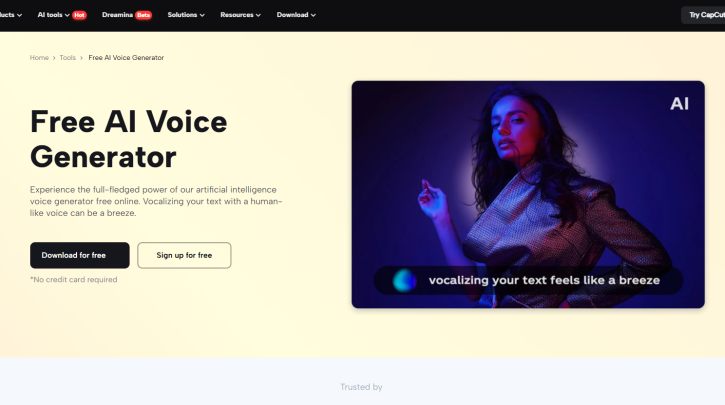
With its built-in text-to-speech functionality, you can voice your videos without recording anything. This software converts plain text into a genuine-sounding voice with mere clicks. Here’s how CapCut PC simplifies and makes this trend fun for every creator.
Why Use Text-to-Speech for Reddit Story Videos
Reddit narratives are meant to be read, but they can be more compelling when heard. A voice brings emotion and makes the narrative pop. Watching might not always hold a viewer’s attention, particularly on quick-paced platforms such as TikTok or YouTube Shorts.
It’s difficult to record your own voice. It requires time, equipment, and even sometimes a quiet area. Some people may not feel at ease recording their voice or speaking on camera.
That’s where the CapCut desktop video editor comes in handy. It’s a built-in text-to-speech feature that transforms written text into clear, natural-sounding audio.
You can select from a lot of voice styles, tones, and languages to suit the mood of the story. That way, the voice suits the atmosphere, humorous, sad, serious, or light. With an AI voice generator, you also save time creating more videos with the same voice in all of them.
It’s an excellent way to maintain your work smoothly and conserve effort. Remember, however, that although CapCut PC offers numerous free tools, functions such as text-to-speech might require a paid subscription. Nevertheless, it’s a wise choice for anyone who desires to bring written stories to life in the form of videos that people stand and watch.
Benefits of Turning Reddit Stories into Videos
Reddit tales are filled with true moments. They’re emotional, they’re funny, or sometimes they’re surprising. These kinds of tales hook people quickly and are perfect for short-form content.
When you convert these stories into videos, they are more enjoyable to watch and simpler to share. People scroll over text, but video stops them in their tracks. When you include voice and images, it feels more authentic.
Throwing in powerful images enhances the impact even further. You can utilize an AI video upscaler to render your footage clearer and more refined. It helps maintain audience interest throughout the entire video.
By utilizing Reddit tales, you’re dealing with content that individuals already adore. You’re simply providing it with a new life in the form of video. The CapCut desktop video editor allows you to pair every section of the tale with the appropriate music, pace, and voice.
The best part? Tools such as text to speech AI keep you from hiring a voice actor or editing for hours. You can post more, grow faster, and remain creative without requiring a large budget.
This is an excellent way to create your own voice online, using tales people care about in a style they enjoy watching.
Steps to Turn Reddit Stories into Videos Using CapCut PC
Step 1: Install CapCut PC Desktop Video Editor
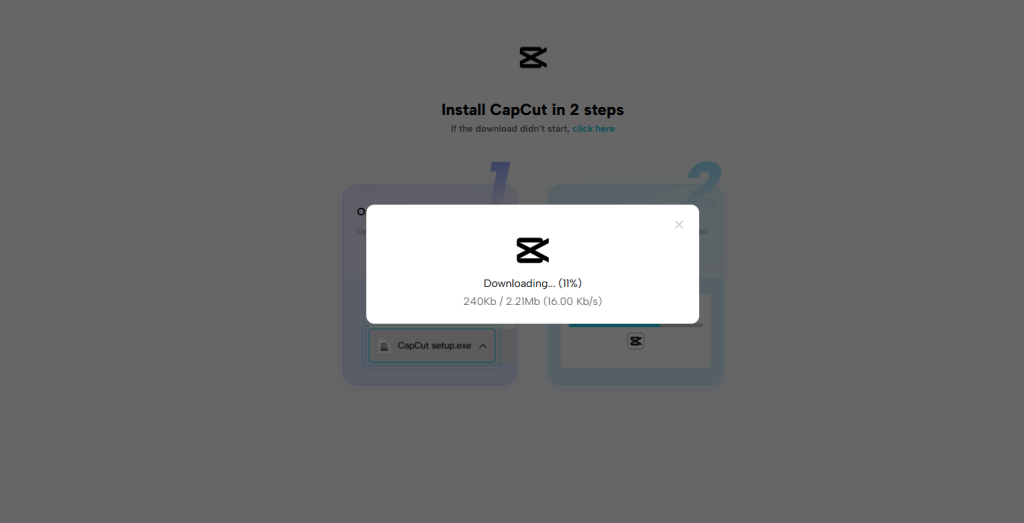
Visit the official CapCut website to download the desktop version. Install the CapCut PC on your computer. Open the application, then sign up or log in to access your account.
Ensure you use the desktop version, which is unique to the mobile app and provides more editing capabilities. Once inside, you will have a simple interface that is easy to navigate.
Step 2: Insert Your Reddit Story and Apply Text-to-Speech
Copy the Reddit story or script you wish to use. Press “New Project” on CapCut PC to begin editing. Then, press “Import” to import background clips or images to complement the mood of your story.
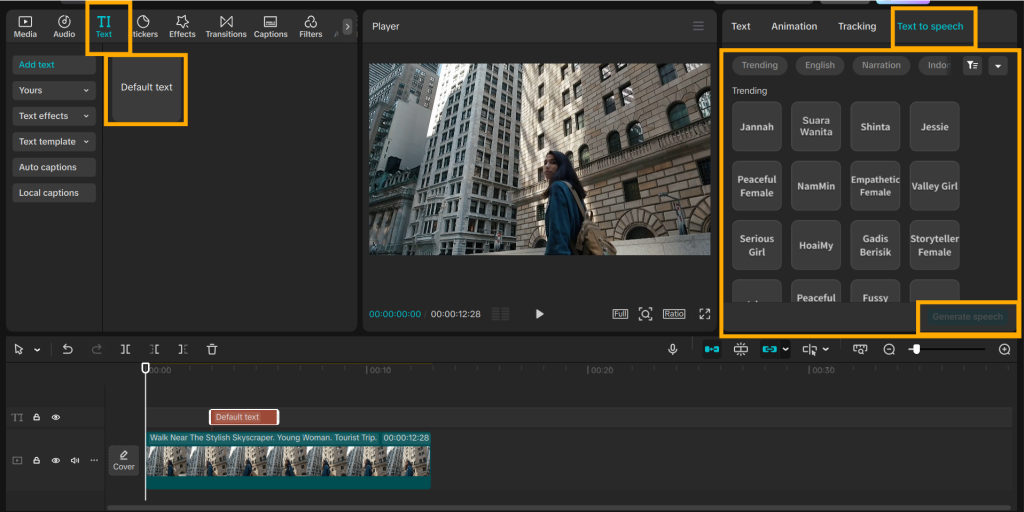
Click on “Text” in the left panel and select “Default Text” to add your script to the timeline. Enter or paste your script into the provided text field.
After that, select the text-to-speech option. Select your preferred voice and language from the available options. Pick the one that fits your content best. You can also adjust the voice speed to make it sound more natural.
Preview the sound to ensure it sounds good. If not, adjust the settings. When satisfied, move the voice track to the bottom timeline under the video clips. Align the text narration with your video to maintain smoothness and clarity.
Step 3: Edit, Export, and Share Your Video
Now, edit the video clips to sync with the voiceover. Add subtitles to help viewers follow along and stay engaged with the content. Transitions, effects, and music can be used to enhance quality. Support tools should be applied to enhance video resolution.
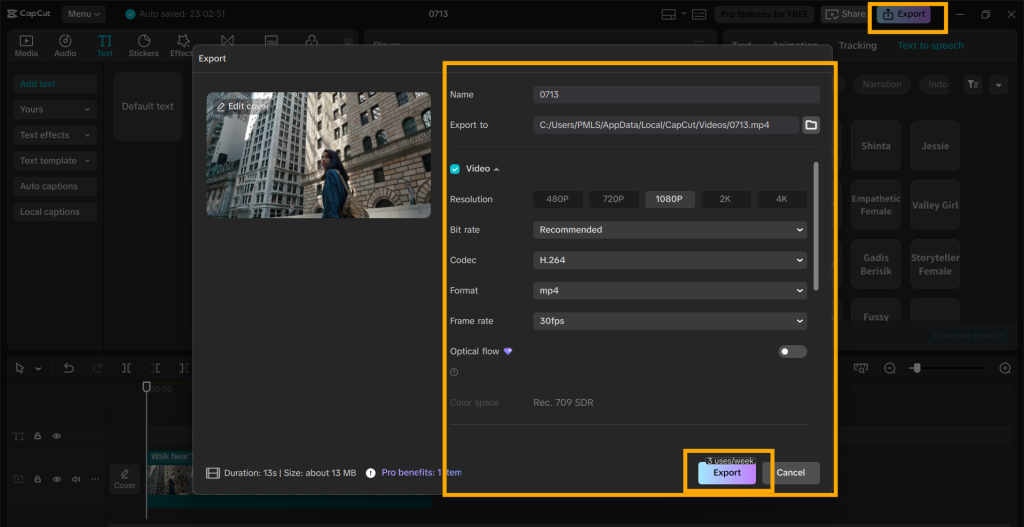
Tap the “Export” option at the top once you’re finished. Configure your video’s resolution, frame rate, and file size. Save the video to your device. Post it on YouTube, TikTok, Instagram, or where you engage with your audience.
Conclusion
It’s easy to convert Reddit stories into videos using the CapCut desktop video editor. With the text-to-speech feature, voice can easily be added without a mic or recording studio setup.
By combining a clear voice with images, your videos become more engaging and simpler to consume. This is an intelligent method of scaling on platforms such as YouTube or TikTok.
Also Read: Building Support Systems That Evolve With Your SaaS Product
Try making your next video using CapCut PC and experience how fast and seamless the process is. If you want additional features such as AI voice, think of unlocking the premium plan for complete features.