


What SPF Email Is and Why It Matters for Domain Protection
The Sender Policy Framework (SPF) is an effective protocol for email authentication that aims to shield your domain from email spoofing and phishing threats. Essentially, SPF enables a domain owner to designate which mail servers are permitted to send emails on their behalf, thus protecting your brand, customers, and partners from deceptive messages that could erode trust and harm your domain’s reputation.
Given the persistent dangers of phishing, spam, and business email compromise, organizations — regardless of whether they are using Google Workspace, Microsoft 365, Yahoo Mail, or any other email service — must adopt strong strategies to verify the authenticity of incoming emails. SPF offers a standards-based solution, implemented through DNS records, to identify and prevent unauthorized sending attempts. By enhancing email authentication, you not only safeguard sensitive data but also improve your email deliverability, ensuring that crucial communications land in the inbox rather than the spam folder.
The High Stakes of Email Spoofing
Email spoofing takes place when malicious individuals send emails using a fake “From” or “Return Path” address, making it seem like they’re coming from a reputable source. In the absence of strong authentication measures, email servers find it challenging to differentiate between genuine and deceptive messages, putting both senders and recipients at risk of spam, scams, and harmful cyber threats. Organizations such as Proofpoint and Spamhaus regularly underscore the importance of SPF as a component of a comprehensive email security approach, along with protocols like DKIM and DMARC.
How SPF Works: DNS Records, Sending Servers, and Authentication Checks
SPF email authentication relies on DNS records, specifically DNS TXT records, to verify authorized email senders. Domain administrators can create a unique SPF record within the Domain Name System (DNS) that identifies which mail servers and sending hosts are permitted to send outbound emails on behalf of their domain. Platforms like Austospf.com help simplify SPF record management, improving email security, reducing spoofing risks, and enhancing email deliverability.
The Technical SPF Flow
1. Identifying Authorized Sending Servers: An SPF record specifies which mail servers are permitted to send emails, based on either their IP addresses or hostnames. For instance, if your company uses services like SendGrid, Google Suite, and Microsoft Exchange Online for various email communications, their respective sending IPs need to be explicitly included in your SPF TXT record.
2. SPF Check in Process: When an email reaches its intended recipient, their email provider — such as Gmail, Microsoft Outlook, Yahoo, or Apple Mail — conducts an SPF check. This involves looking up the sender’s DNS to retrieve the SPF record, which then verifies if the incoming mail server’s IP is on the list of authorized servers.
3. Validation Outcome: If the IP of the sending mail server is recognized as legitimate per the SPF record, the email successfully passes the SPF check. Conversely, if it’s not authorized, the SPF verification will yield a fail, soft fail, or hard fail result, which can lead to the email being either quarantined, rejected, or directed to the spam folder.
What Is in an SPF Record?
An SPF record is a type of text entry (DNS TXT record) associated with your domain.
- In this notation, `v=spf1` denotes the SPF version being used.
- The portion `ip4:192.0.2.10` designates a particular IPv4 address as permitted.
- The command `include:_spf.google.com` enables emails sent through Google Workspace servers.
- Lastly, `~all` (which indicates a soft fail) provides guidance to recipient servers regarding how to handle unauthorized senders.
Key Mechanisms in SPF Records
- Include Directive: The “include” system enables you to refer to the records from external providers (such as Mailchimp, Amazon SES, or Mailgun) that are authorized to send emails for you.
- Redirect Mechanism: When your SPF policy is intricate or spread across multiple subsidiaries, you can utilize a “redirect” to centralize SPF validations under a different domain.
SPF vs. Email Spoofing: What It Stops and What It Doesn’t
The primary advantage of SPF lies in its capability to prevent email spoofing by safeguarding the envelope from (Return Path) address. When a mail server receives a message from an unauthorized sender, its spam filters can either reject or flag the email, thus reducing threats like phishing, CEO fraud, and scams pretending to be from reputable sources.
- Limitations: SPF simply checks the sending server’s IP address against the designated DNS record for the envelope from (Return Path) and does not verify the “header from” address that users observe in their email applications. Resourceful attackers can take advantage of this oversight by forging the visible header from the address, particularly when SPF is not used in conjunction with DKIM and DMARC, which together provide a more robust email security framework.
- Forwarding Challenges: Standard email forwarding can disrupt SPF functionality since the IP of the forwarding server is typically absent from the SPF record, potentially leading to soft or hard fail results.
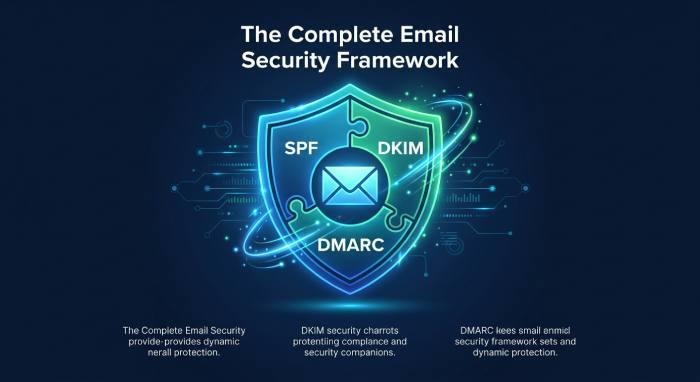
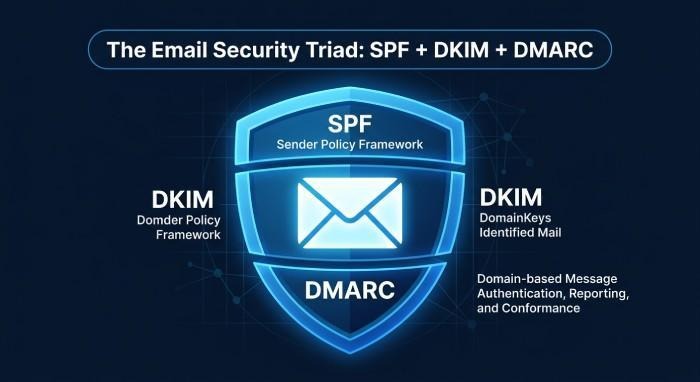
To establish a robust email security system and ensure compliance, domain administrators are encouraged to implement SPF alongside DKIM (DomainKeys Identified Mail) and DMARC (Domain-based Message Authentication, Reporting & Conformance), with each protocol contributing a vital layer to the authentication process.
How to Create, Publish, and Test an SPF Record
Step 1: Identify All Authorized Mail Servers
Create an extensive inventory of all IP addresses and mail servers authorized to send emails on behalf of your domain. This should cover your primary email server, any cloud email services (like Microsoft 365, Google Workspace, or Zoho Mail), as well as marketing service providers (such as Mailchimp and SendGrid) and any external ticketing or CRM systems (such as Salesforce).
Step 2: Construct the SPF Record
Create a DNS TXT record that lists all the approved sending servers.
- To list specific IP addresses, utilize the `ip4` or `ip6` mechanisms. For external services, apply the `include` directive. Conclude with a policy for enforcement: `-all` for a hard fail, `~all` for a soft fail, or `?all` for a neutral stance.
Step 3: Publish to DNS
- Log into the admin dashboard of your DNS hosting service (such as Proofpoint US, GoDaddy, Cloudflare, AWS Route 53, etc.). Create a new TXT record in the DNS zone file for your domain. Make sure to input the SPF string exactly as required; any mistakes in syntax could lead to validation issues or email delivery problems.
Step 4: Test Your SPF Record
Consistently ensure that your SPF configuration is accurate in both syntax and logic. Utilize testing resources such as MXToolBox, Kitterman, or the diagnostic features provided by Google or Microsoft Exchange Online to check your SPF settings. It’s important to test from various locations and with different email service providers — like Yahoo, Gmail, Hotmail, and Microsoft Outlook — to guarantee compliance and successful delivery.
Step 5: Monitor and Adjust
Consistently review the systems or applications that utilize your domain to send emails. When introducing or removing mail servers or third-party services, be sure to modify your SPF record to prevent accidental email rejections or SPF lookup issues.
Best Practices and Common SPF Mistakes to Avoid
Maintaining an accurate and effective Sender Policy Framework (SPF) is essential for safeguarding email communications and protecting your domain. Below are some important best practices and common mistakes to steer clear of:
SPF Best Practices
Keep the List of Authorized Mail Servers Complete
Ensure that you account for all valid sources of email communication — whether they are transactional, marketing, or system notifications. Neglecting just one IP address or mail server may result in genuine messages failing SPF validation, causing them to land outside of a recipient’s inbox.
Monitor for SPF Lookup Limits
SPF records permit up to 10 DNS lookups during each verification. If this limit is surpassed, it may lead to failed authentication and unsuccessful SPF checks. To avoid this, consider consolidating your includes and utilizing subdomains wisely when necessary.
Pair SPF with DKIM and DMARC
DKIM enhances email security by providing cryptographic verification for headers, whereas DMARC implements policy-driven responses in cases where SPF or DKIM checks do not succeed. When combined, these protocols create a robust email security framework acknowledged by major ISPs such as Gmail, Microsoft, and Yahoo.
Common SPF Mistakes
Syntax Errors and Overly Permissive Policies
Incorrect record formatting or risky configurations — like employing `+all` (which permits everything) or not implementing enforcement (`?all`) — can compromise security, leading to increased risks of spoofing, spam, and phishing infiltrating the system.
Not Updating After Adding New Sending Services
Neglecting to add new approved sending hosts — such as when setting up Amazon SES, Mailchimp, or SendGrid — can lead to issues with message delivery and potentially result in missed messages.
Ignoring Soft Fail vs. Hard Fail
A `~all` (soft fail) gives recipient ISPs the option to decide how to deal with unauthorized emails, while a `-all` (hard fail) indicates that emails should be completely rejected. Select based on your risk level and operational requirements, making gradual adjustments to prevent any disruptions in email delivery.